


ValeroPay+
4.11.65K Reviews
App Specs
- Version
- 6.0.0
- Updated On
- License
- Free
- Downloads
- 500,000+
- Developer
- Valero Marketing and Supply Company
- Categories
- Travel & Local
- Platform
- Android, iOS
Screenshots
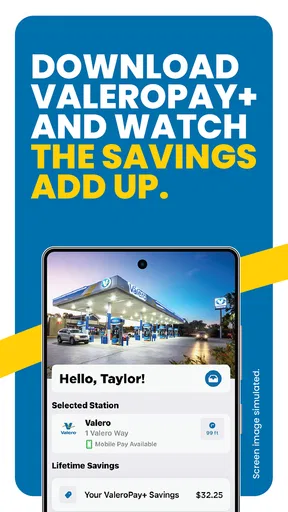
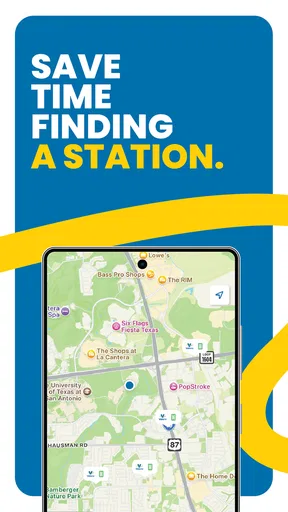
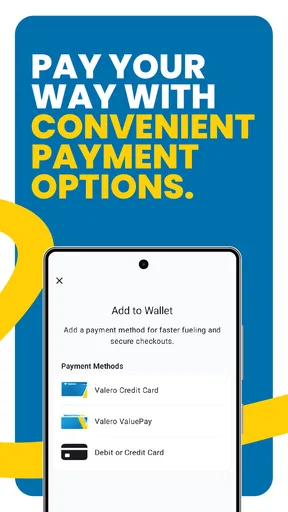

 Analysis by AppCompare
If I had to sum up ValeroPay+ in one sentence, I would call it a practical fuel-stop companion rather than a complete travel app. Its purpose is narrow, and that is exactly why it can be useful: when I am already choosing a Valero station, I want the payment and savings side of the visit to feel less awkward than pulling out a wallet, juggling cards, or trying to remember which fuel promotions apply. The app focuses on that moment at the pump, not on planning an entire trip.
That focus makes it easier to judge. I would not install it expecting maps, hotel bookings, public transport tools, or a broad travel dashboard. I would consider it when I regularly stop at Valero locations and want a digital way to handle fuel purchases. For occasional visitors, the benefit may be too limited to justify changing an established payment routine. For frequent customers, however, a small improvement repeated across many fuel stops can be worthwhile.
What ValeroPay+ does well at the pump
The app comes from Valero Marketing and Supply Company and sits in the Travel & Local category. It is free to use, carries an Everyone age rating, and is available for devices running Android 8.0 or later. Those details make it approachable for a wide range of drivers, including people using an older phone who do not want a demanding travel application taking up their attention.
In my experience, the strongest part of a dedicated fuel app is not visual excitement but reduced friction. A normal station visit has several small decisions: which payment method to use, whether a discount is available, whether I need to go inside, and how much time I want to spend standing beside the pump. ValeroPay+ is built around making that transaction more direct. The practical value appears when I use it as part of a repeatable routine rather than opening it only once out of curiosity.
A useful routine starts before leaving home. I would open the app while planning a fuel stop, check the available information connected with my Valero visit, and make sure my phone is ready before arriving. Preparing in advance matters because the pump is a poor place to troubleshoot an unfamiliar screen. If I already know how I intend to pay and where the app fits into the transaction, the stop feels more controlled.
The same approach helps on a longer drive. Imagine leaving work with a low tank and stopping at Valero before picking up a child or meeting friends. The value is not that the app transforms the journey; it is that I can keep the fuel purchase inside one familiar workflow. Saving even a little effort at a routine stop is more meaningful than a flashy feature I would use once a year.
The product’s public reception also suggests that it has found a real audience. It has an average rating of 4.1 from around four thousand ratings, with roughly one and a half thousand written reviews, and it has passed half a million installs. I read those numbers as evidence of useful everyday appeal, not as proof that every driver will have a smooth experience. Payment-related apps are especially dependent on personal setup, station circumstances, phone conditions, and the user’s expectations.
Worth Reading Before You Choose

Flipboard Shows What News Apps Must Do Beyond the Feed

Switching to Android Auto Means Rethinking Your Driving Routine

Google Calendar Makes a Crowded Week Easier to Manage

Ludo King Makes the Most of the Minutes Between Plans

Baby Panda World Brings Quick Play to Modern Phones, but Its Game Library Feels Busy

ESPN’s Live Game View Makes Following Close Games Easier
One detail I appreciate is the separation between the app’s purpose and broader navigation tools. If I already use a preferred map application to find stations or plan routes, I do not need to abandon that tool. A sensible workflow is to use my usual map for the journey, then use ValeroPay+ for the Valero-specific part of the stop. That is better than expecting one app to be excellent at every stage of a trip.
There is also a useful distinction between convenience and savings. The name and store positioning naturally draw attention to saving at the pump, but I would not treat the app as an automatic guarantee that every visit costs less. The real benefit depends on the offers, payment flow, and station context available to me at the time. I would check the app before assuming a discount applies, and I would keep the final amount in view rather than relying on memory.
A better workflow than opening it at the pump
My first practical tip is to set up the app when I am not in a hurry. A quiet moment at home is better than balancing a phone, fuel nozzle, and impatient traffic. I would review the available account and payment steps, confirm that the information I plan to use is current, and then close the app. This turns the next visit into a quick execution instead of an experiment.
My second tip is to treat the app as a station-specific payment tool, not as my only source of travel information. I would use another navigation service when I need route alternatives, traffic context, or a broader search across fuel brands. Then I would switch to ValeroPay+ only when the stop itself is the priority. This division of labor avoids one of the most common frustrations with specialized apps: expecting them to replace tools they were never designed to replace.
My third tip is to verify the result after the transaction. I would look at the confirmation or payment record available through the app and compare it with what I expected to pay. That habit is useful whenever a digital payment is involved, especially if I am using a promotional saving. It also makes it easier to notice a failed attempt or an unexpected charge before it becomes a vague memory.
Another non-obvious use is keeping the app ready for repeated business travel. If I drive the same regional route several times a month, a dedicated Valero workflow can be more valuable than it is for a holiday road trip. Repetition gives the app a chance to repay the small learning curve. A traveler who stops at many different brands, by contrast, may gain more from a general payment wallet or a broad fuel-finder service.
Where the experience can become less convenient
The main weakness is the app’s narrow usefulness. It is tied to the Valero part of a journey, so its value changes with my driving habits. If the nearest convenient station is usually another brand, I cannot expect this app to help at every fuel stop. A general-purpose wallet may be simpler for someone who wants one payment method everywhere.
There is also a natural trade-off between digital convenience and dependence on a phone. A payment app is most helpful when the phone is charged, the application is ready, and the transaction proceeds as expected. If I arrive with a weak battery, poor connectivity, or an account issue, the traditional card or in-store option may be the faster fallback. I would never leave home for a long drive assuming that one app is my only possible way to pay.
That does not make ValeroPay+ a poor choice; it means I would use it with a backup plan. Keeping a physical payment card available is sensible, particularly on road trips or in unfamiliar areas. The app should reduce friction, not create a new single point of failure. This is an important distinction for anyone who interprets mobile payment as a complete replacement for every other method.
The learning curve may also feel unnecessary to occasional customers. Someone who visits a Valero station only when traveling through an unfamiliar town might prefer to pay normally and continue driving. Installing an app, understanding its payment process, and remembering to use it can take more effort than the single transaction saves. The strongest case is repeated use, not a one-off stop.
I would also be careful about confusing the app with a full loyalty strategy. Its usefulness is connected to the fuel-purchase experience, while broader budgeting, route planning, and travel organization still belong elsewhere. For me, the best setup is a small collection of tools with clear roles: a map for directions, a wallet or card for backup, and ValeroPay+ when I am making a Valero purchase and want its dedicated savings or payment flow.
Who should install it and who should skip it
I would recommend trying it to drivers who regularly choose Valero, especially commuters, delivery workers, and families who make frequent local fuel stops. These users have enough repetition to learn the app once and benefit from that routine later. It may also suit people who prefer checking a digital transaction rather than handling cash or entering card details at the pump each time.
It is a reasonable option for a household with more than one regular driver, provided everyone understands the same account and payment routine. The important point is not simply installing it on several phones; it is agreeing on who checks the transaction and how the household tracks fuel spending. Without that small bit of organization, a convenience app can make records harder to follow rather than easier.
I would be more hesitant to recommend it to someone who wants a universal fuel solution. If the person routinely compares every nearby brand, searches for the lowest price across a large area, or needs detailed trip planning, a broader travel application will probably be a better first download. ValeroPay+ can still be useful at a Valero station, but it should not be mistaken for the most flexible tool in that situation.
It is also not my first suggestion for a driver who dislikes managing accounts or prefers cash. Digital payment is only convenient when the setup feels comfortable. If the user is likely to forget the app, distrust phone-based transactions, or become stressed when a screen behaves differently from the usual pump process, paying with a familiar physical method may be the better choice.
The current release is version 6.0.0, which tells me that the app has continued through substantial iteration rather than remaining a one-time experiment. I would still judge it by my own station routine, because an updated version cannot remove the basic trade-off between a specialized Valero tool and a universal payment option. For a new user, I would install it, complete the setup away from the station, and test the workflow during a normal local stop before depending on it during a long trip.
My verdict after using it as a focused fuel tool
ValeroPay+ is most convincing when I use it repeatedly at Valero stations and keep its role deliberately simple. It can make the fuel-stop moment more organized, give savings a clear place in the process, and reduce the need to improvise at the pump. Its free price removes the biggest barrier to trying it, while the Everyone rating and Android 8.0 minimum make it accessible to many users.
Still, I would not call it an essential travel download for everyone. The app does not replace navigation, general payment tools, or sensible backup planning. Its benefits depend on choosing Valero often enough for the routine to matter. If that describes you, I think it is worth testing and keeping ready before your next regular fuel stop. If not, a general wallet and map application may serve you better with less to remember.
My final recommendation is therefore specific: install it if Valero is already part of your normal driving pattern, prepare it before arriving at the pump, and confirm each digital transaction. Skip it if you want one app for every fuel brand or if your visits are too rare to justify a new payment habit. Used within its proper limits, ValeroPay+ is a focused, sensible companion for fuel purchases rather than an all-purpose travel solution.
Pros
- Pay for fuel directly from your phone at participating Valero stations.
- Helps reduce contact with pumps and checkout counters during refueling.
- Saves preferred payment details for faster future transactions.
- May provide access to station promotions
- rewards
- or fuel discounts.
- Useful station-focused tools can make finding Valero locations more convenient.
Cons
- Availability depends on participating Valero stations and supported locations.
- Requires a reliable mobile connection while starting and completing payments.
- Stored payment information may concern users focused on digital privacy.
- App benefits are limited if you rarely purchase fuel at Valero stations.
- Occasional app
- pump
- or payment-system issues can delay refueling.
FAQs for ValeroPay+
What is ValeroPay+ and what can I use it for?
ValeroPay+ is Valero’s mobile payment and rewards app, designed to make visits to participating Valero and Diamond Shamrock locations more convenient. Depending on the station and available features, you can use it to pay for fuel, find nearby locations, view promotions, and access rewards or savings. Availability may vary by location, so it is worth checking the app before relying on a specific feature.
How do I pay for fuel with ValeroPay+?
After downloading ValeroPay+, create or sign in to your account and add an eligible payment method if required. At a participating station, select the location and follow the in-app instructions to begin a fuel purchase, which may involve choosing a pump and confirming payment. Always verify the station, pump number, and transaction details before authorizing payment, particularly at busy locations.
Is ValeroPay+ free to download and use?
ValeroPay+ is generally free to download from the official Android or iOS app store, and the app itself does not normally require a separate subscription fee. However, standard mobile data charges may apply when using cellular internet. Fuel prices, taxes, and any applicable card or bank charges are separate from the app. Promotions, rewards, and payment features can also depend on participating locations and current program terms.
Is ValeroPay+ safe for storing payment information?
ValeroPay+ is intended to provide a secure way to manage payments and account information, but users should still follow normal mobile security practices. Download the app only from an official store, use a strong unique password, keep the operating system updated, and avoid signing in on shared devices. If your phone, payment card, or account is lost or compromised, contact the appropriate support or financial institution promptly.
What should I do if a payment, reward, or fuel transaction does not appear correctly?
If a transaction fails or a reward does not appear, first check your internet connection, confirm that you used the correct account and participating station, and review the app’s transaction history. Do not repeatedly authorize a payment if the first attempt may have succeeded; instead, check your bank or card activity. For unresolved issues, use the support options provided in ValeroPay+ and keep the receipt, date, station, pump number, and transaction details available.


